
Parallel IDs
Route several parallel conduits for one run — add a count column and ABR splits it into numbered parallel runs.
Last updated July 22, 2026
When a single feeder is carried by several conduits running in parallel, you don’t add each one by hand. Instead, tell ABR how many parallel conduits the run needs and let it create them for you.
How to set it up
Before importing the conduit schedule, add a count column to your spreadsheet that holds the quantity of conduit for each run.
What ABR does
On import, ABR adds a new row for each parallel run and appends a suffix to the run’s ID so every conduit stays uniquely identified:
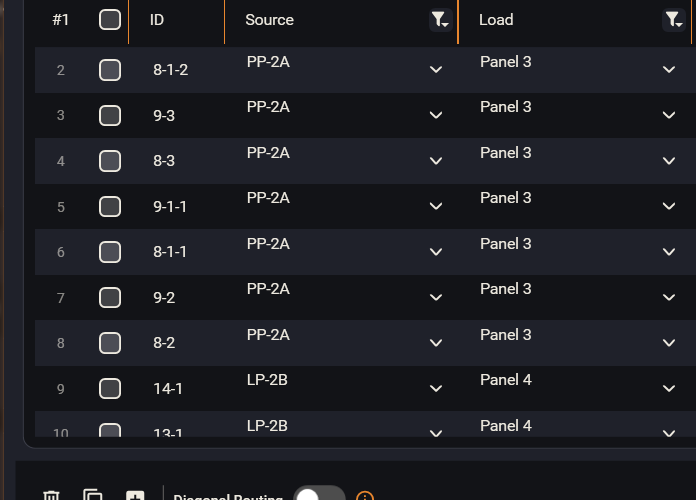
- A run with ID
A-1and a count of 3 becomesA-1-1,A-1-2,A-1-3. - Each numbered row is routed as its own conduit, so the parallel set stacks and coordinates like any other run.
This keeps your schedule accurate — the quantities match the model — without duplicating rows manually.