
The Stacking Window
Add or remove tiers, set the width and offsets, sort the conduits, then apply.
Last updated July 19, 2026
The Conduit Stacking Window shows your conduits arranged on horizontal bars (tiers). Each mark on a bar is a conduit.
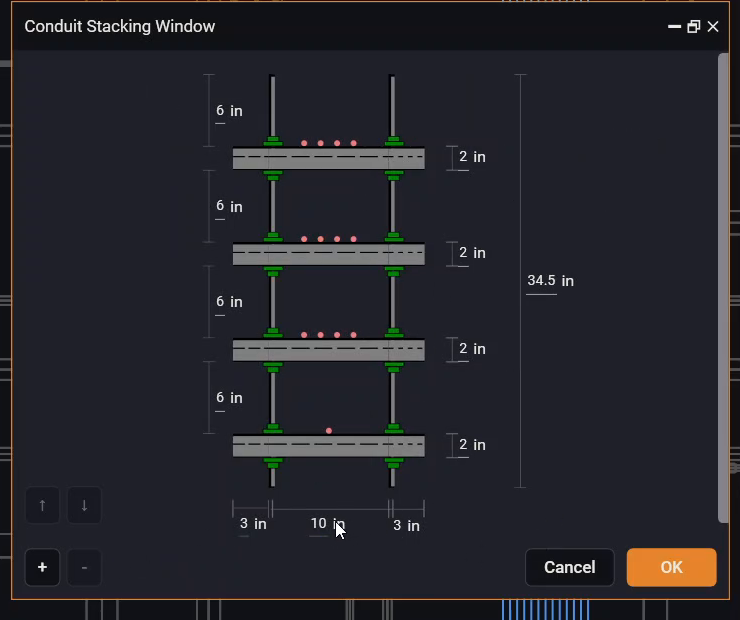
- + / − — add or remove a tier. More tiers spread the conduits across more rows.
- Width (e.g.
10 in) — how wide each bar is. A wider bar fits more conduits per row; ABR re-spreads the conduits automatically when you change it. - Left / right offsets (e.g.
3 in) — the clear space kept at each end of the bars. - ↑ / ↓ — sort the conduits along the bars (ascending / descending).
- The total height (e.g.
34.5 in) and the spacing between bars update automatically as you add tiers. - OK applies the stacking to your routes; Cancel discards it.
The window opens with a sensible auto-layout based on the area’s width. If the area was already stacked before, it reopens with that arrangement so you can keep editing it.